Intel® oneAPI HPC Toolkit 2025.1 – Offline Installation Guide (Linux)
Overview
This document describes the offline installation procedure for Intel® oneAPI HPC Toolkit v2025.1 on a Linux system. The installation was performed in a Local Machine(Laptop) using the offline GUI installer.
Toolkit Version: 2025.1
Installation Mode: Offline Installer (GUI)
OS: Rocky Linux / RHEL-based Linux
Install Location: /home/admin/intel/oneapi
Prerequisites
Ensure the following before installation:
- Linux system with GUI (X11)
- Minimum 20 GB free disk space
- Bash shell
- Offline installer available:
intel-oneapi-hpc-toolkit-2025.1.0.666_offline.sh
Step 1: Launch the Offline Installer
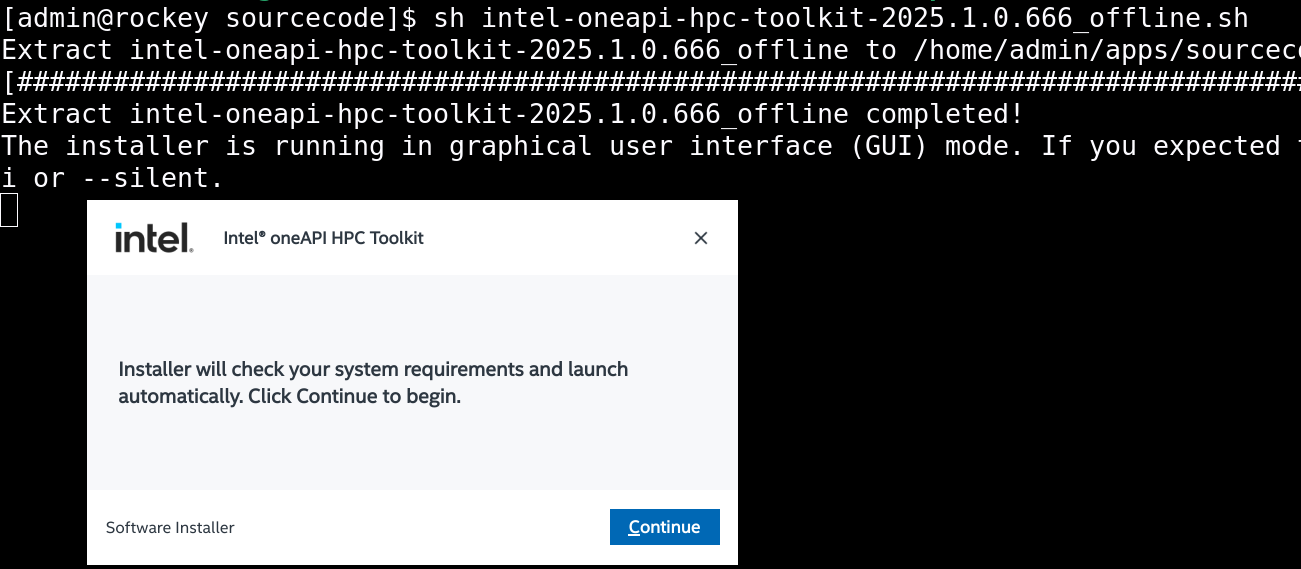
Run the installer from the terminal:
sh intel-oneapi-hpc-toolkit-2025.1.0.666_offline.sh
This extracts the package and launches the installer in GUI mode.
Step 2: Welcome Screen
The installer checks system requirements automatically.
Click Continue to proceed.
Step 3: Select Components
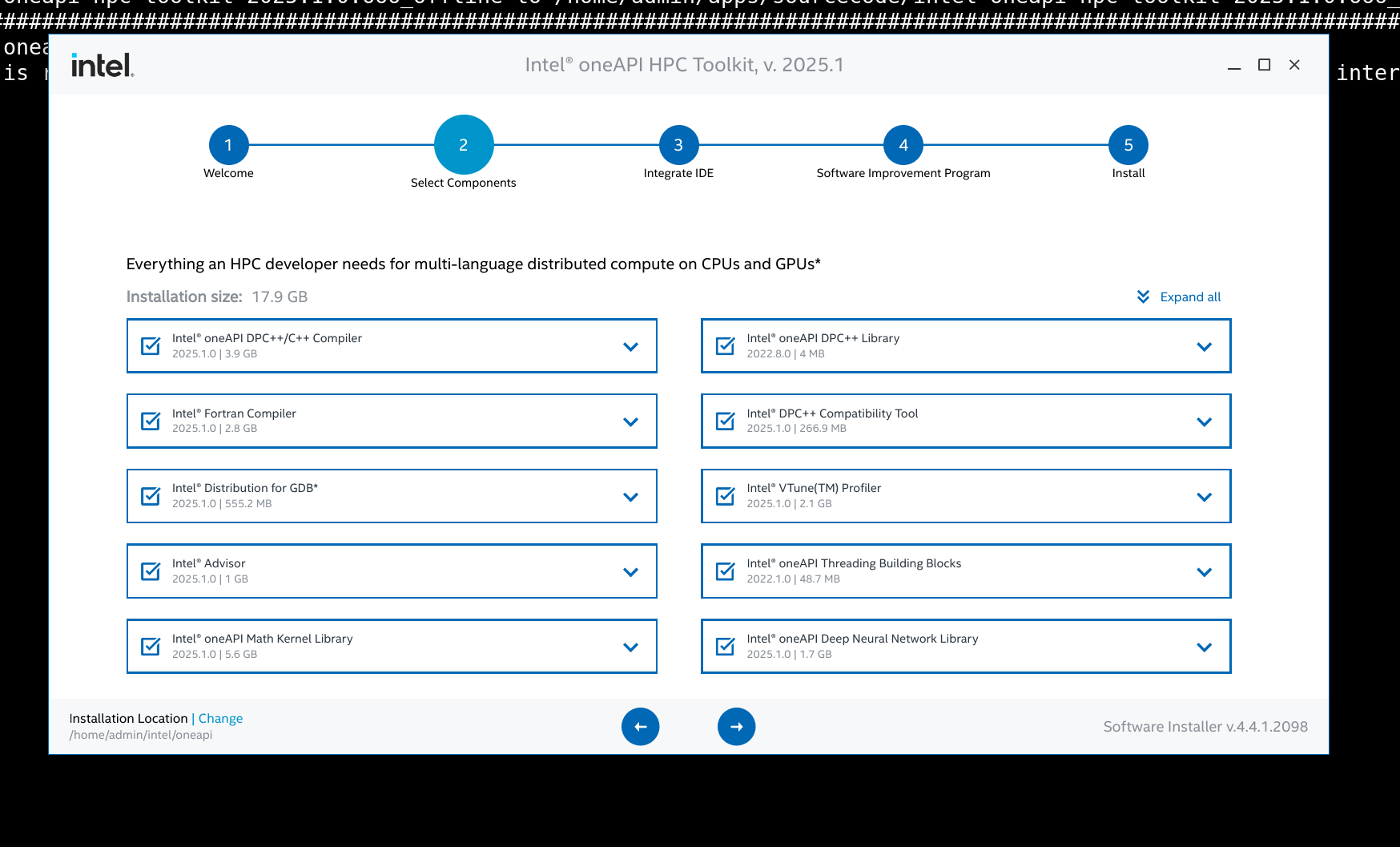
For a complete HPC development environment, the following components were selected:
Installed Components
- Intel® oneAPI DPC++ / C++ Compiler
- Intel® Fortran Compiler
- Intel® oneAPI Math Kernel Library (MKL)
- Intel® MPI Library
- Intel® oneAPI Threading Building Blocks (TBB)
- Intel® Advisor
- Intel® VTune™ Profiler
- Intel® Distribution for GDB
- Intel® DPC++ Compatibility Tool
- Intel® oneAPI Deep Neural Network Library
Step 4: IDE Integration (Optional)
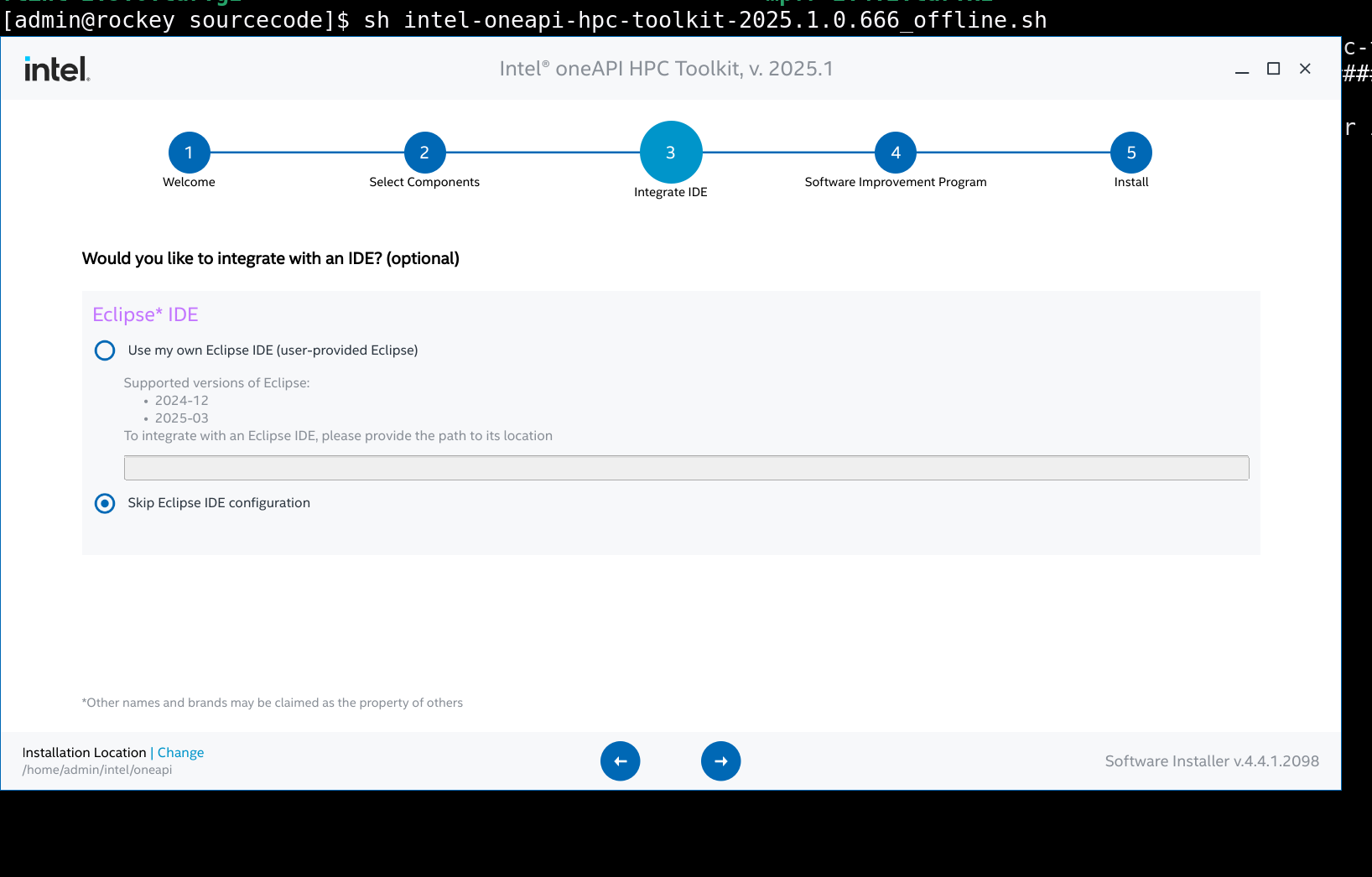
IDE integration is optional and not required for HPC servers or clusters.
✔ Selected option: Skip Eclipse IDE configuration
This is recommended for:
- Headless servers
- HPC compute nodes
- Production clusters
Step 5: License Agreement & Installation Mode
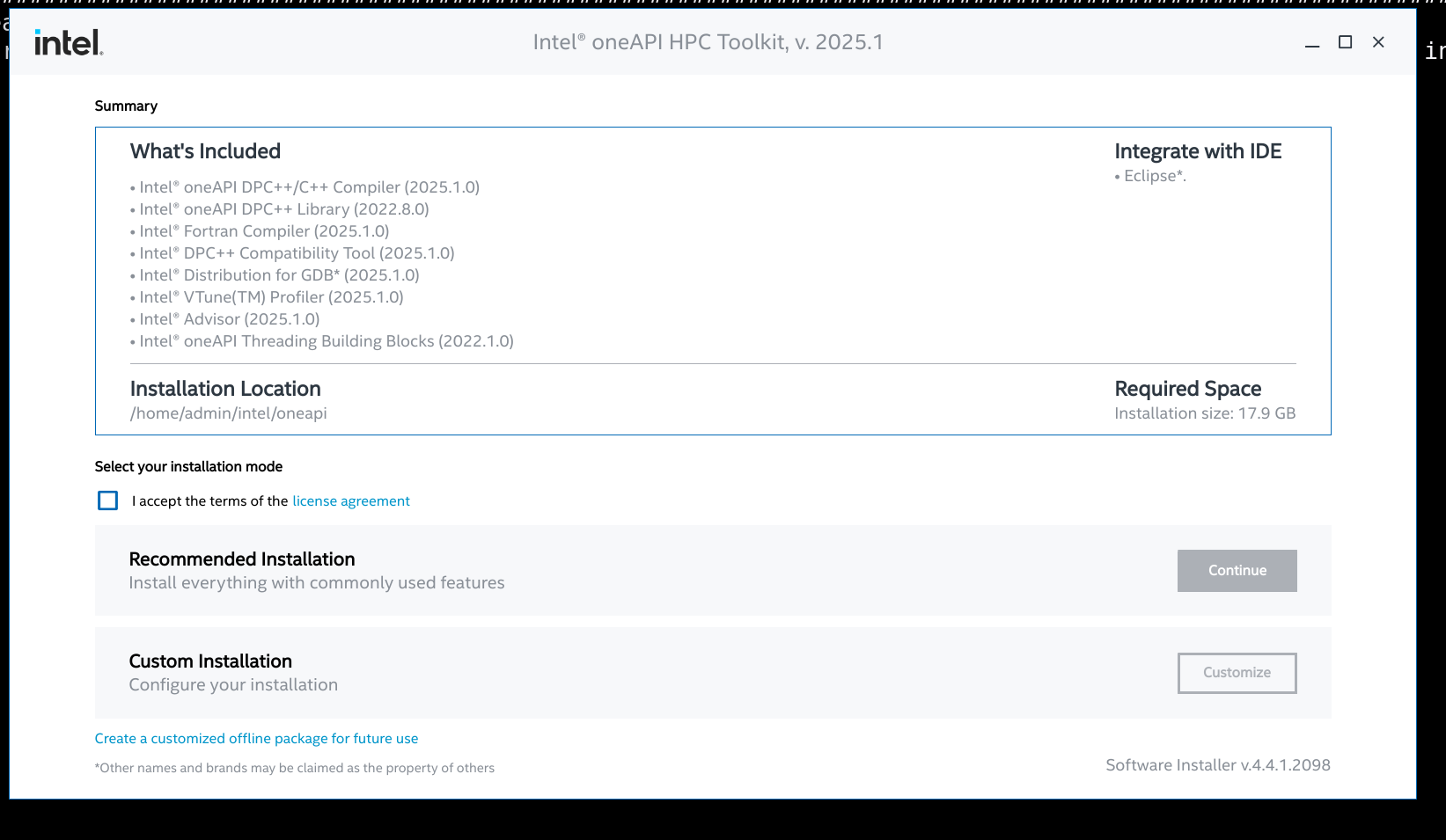
- Accepted Intel® license agreement
- Selected Recommended Installation
- Installation path:
/home/admin/intel/oneapi
Step 6: Installation in Progress
The installer performs integrity checks and installs all selected components.
- Integrity check: ✅ Completed
- Installation monitored via GUI
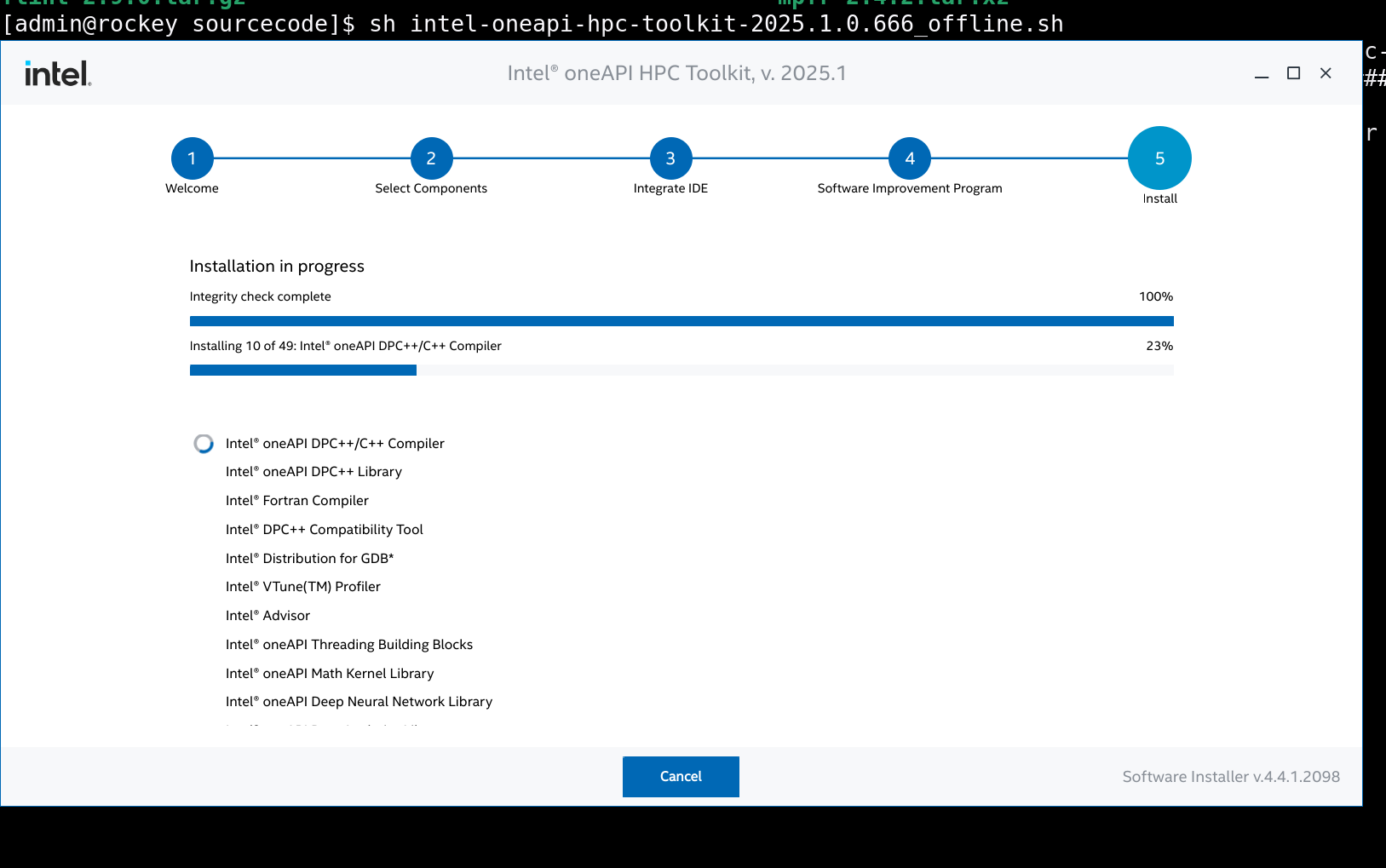
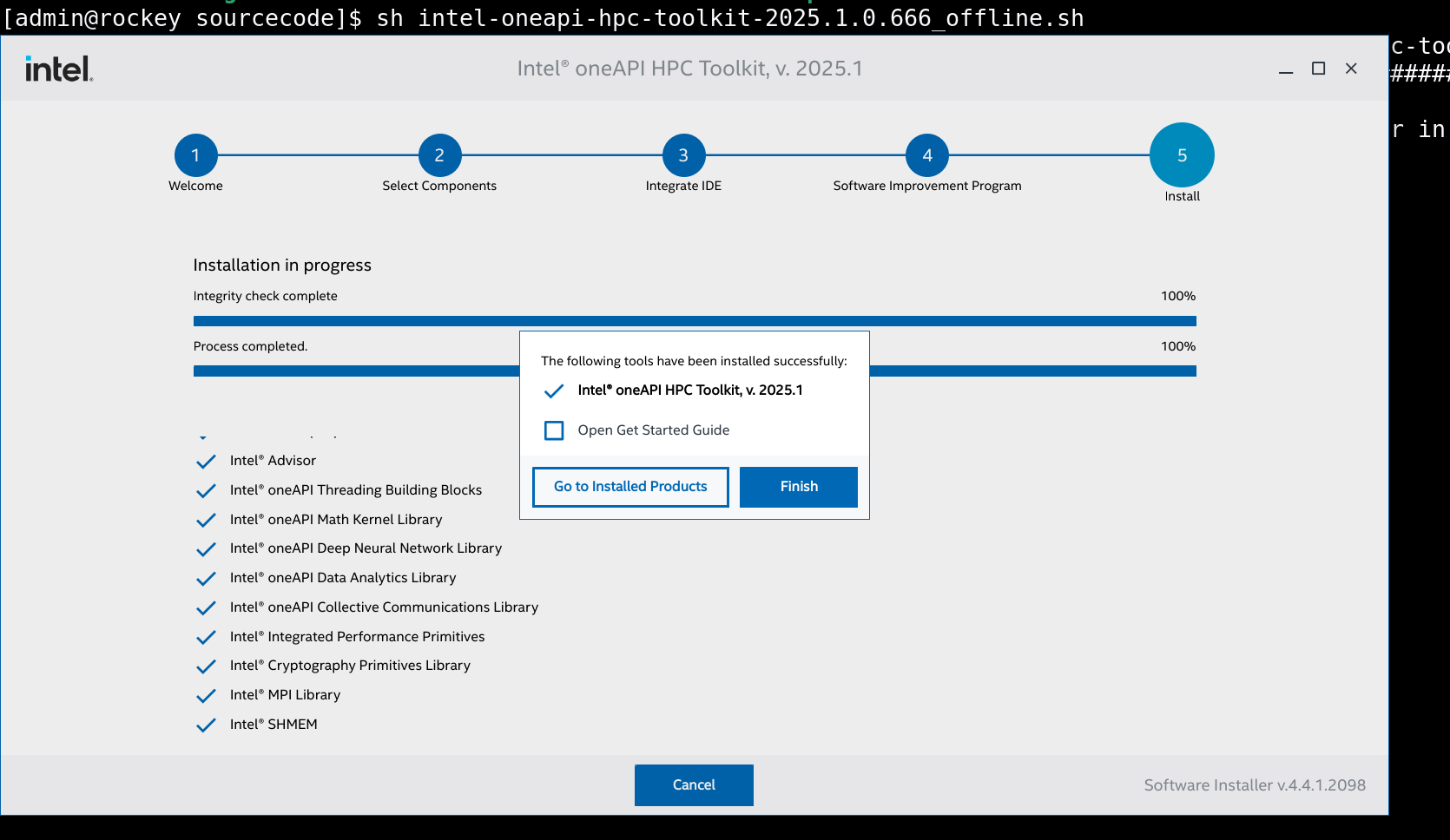
Step 7: Installation Completed Successfully
All components were installed successfully.
Installed toolkit:
- Intel® oneAPI HPC Toolkit v2025.1
Post-Installation Setup
Initialize the oneAPI environment:
source /home/admin/intel/oneapi/setvars.sh
To make it persistent:
echo "source /home/admin/intel/oneapi/setvars.sh" >> ~/.bashrc
Verify installation:
icx --version
ifx --version
mpiicc -v
Use Cases in HPC Environment
This setup supports:
- MPI-based parallel applications
- Fortran & C/C++ HPC workloads
- Numerical simulations (CFD, FEA)
- Performance profiling and tuning
- CPU-based AI/ML workloads
Skills Demonstrated
- Offline software installation in restricted environments
- HPC compiler and MPI stack deployment
- Intel oneAPI toolchain configuration
- Linux system administration
- Performance analysis and optimization