Build RPM Packages from Source
Important Notes
This document describes how I installed and configured rpmbuild from source, set up the necessary environment for building RPM packages, and successfully built an RPM for Slurm. The steps outlined here were part of my self-learning journey to enhance my skills in RPM package creation and cluster management.
- Self-learning Focus: This guide is designed for self-learning and improving my skills in RPM packaging and system administration. It is not intended for deployment in production environments without further testing and adjustments.
- Tested on Laptop: The setup and build process described in this document were tested on my personal laptop. For larger-scale or multi-node environments, additional configuration and testing are required to ensure compatibility.
- Build Dependencies: During the process, I encountered dependency issues that were resolved by installing the required
-develpackages. Ensure all dependencies are checked before starting the build process.
What is rpmbuild?
rpmbuild is a Linux tool used to create RPM packages from source code.
In simple words:
rpmbuildconverts source code into.rpmfiles
These RPM files can then be installed, upgraded, or removed using standard package managers like:
dnfrpm
Why RPM Packages Are Used
On Rocky Linux, RHEL, and CentOS, software is managed using RPM packages.
RPM stands for Red Hat Package Manager.
RPM packages help to:
- Install software easily
- Track installed versions
- Remove software cleanly
- Upgrade software safely
- Manage dependencies automatically
Problems Without rpmbuild
If software is installed directly from source using:
./configure
make
make install
It creates several issues:
❌ No record of installed files
❌ Difficult to uninstall
❌ Hard to upgrade
❌ Not suitable for multiple systems
❌ No dependency tracking
This approach is not recommended for production or cluster environments.
1. Introduction
In RHEL-based systems like Rocky Linux, software distribution is done using RPM packages.
The rpmbuild tool is used to convert source code into RPM files that follow system standards.
This document explains step by step how to:
- Set up an RPM build environment
- Build RPMs using
rpmbuild - Understand build dependency failures
- Successfully generate Slurm RPM packages
2. Why Use rpmbuild
Why it is needed
- Manual source installations are hard to manage
- No clean uninstall or upgrade path
- Difficult to deploy across multiple nodes
Benefits of rpmbuild
- Standard package management
- Clean install and uninstall
- Version tracking
- Easy cluster-wide deployment (HPC-friendly)
3. Install Required Tools
Purpose
To prepare the system for building RPMs from source code.
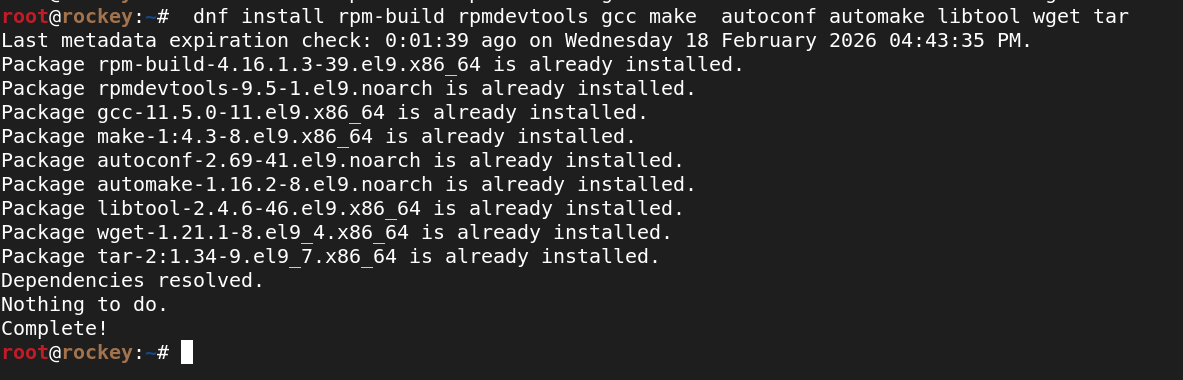
dnf install rpm-build rpmdevtools gcc make autoconf automake libtool wget tar
4. Verify rpmbuild Installation
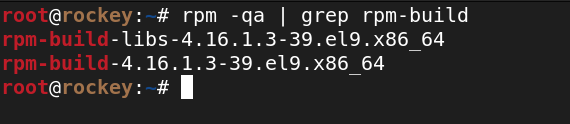
Ensure rpmbuild is installed and available.
rpm -qa | grep rpm-build
5. Create RPM Build Directory Structure
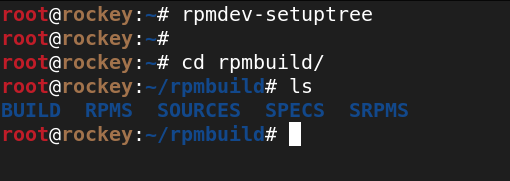
rpmbuild requires a standard directory layout to work correctly.
rpmdev-setuptree
Created structure
~/rpmbuild/
├── BUILD
├── RPMS
├── SOURCES
├── SPECS
└── SRPMS
6. Download Slurm Source Code
RPM packages are always built from source archives.
wget https://download.schedmd.com/slurm/slurm-24.11.7.tar.bz2
Move the source archive to the SOURCES directory:
mv slurm-24.11.7.tar.bz2 ~/rpmbuild/SOURCES/

7. Extract Source Code
Verify the contents of the source archive before building.
cd ~/rpmbuild/SOURCES
tar xf slurm-24.11.7.tar.bz2
ls

8. Copy Slurm SPEC File
The SPEC file controls the entire RPM build process.
cp slurm-24.11.7/slurm.spec ~/rpmbuild/SPECS/

9. Run rpmbuild
cd ~/rpmbuild/SPECS
rpmbuild -ba slurm.spec
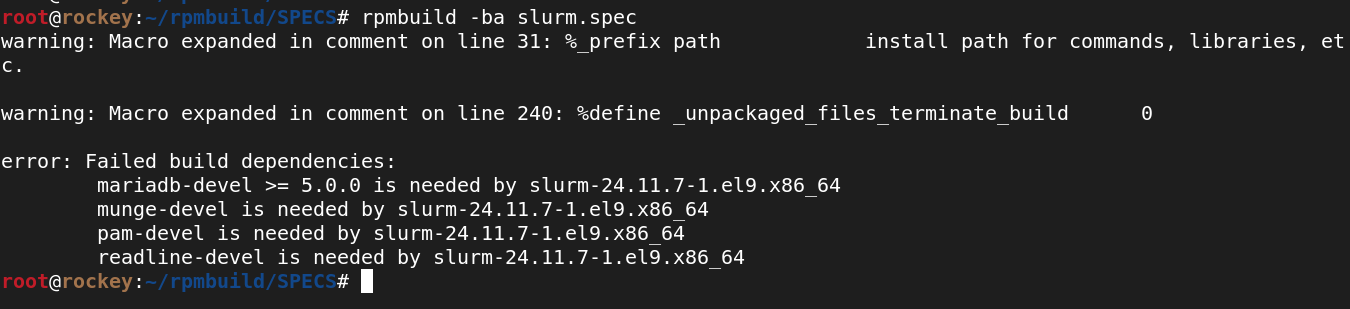
The build fails due to missing build dependencies.
Why the Build Failed
rpmbuild checks the BuildRequires section in the SPEC file.
If required *-devel packages are missing:
- The build stops immediately
- This prevents creating broken RPMs
This behavior is expected and correct.
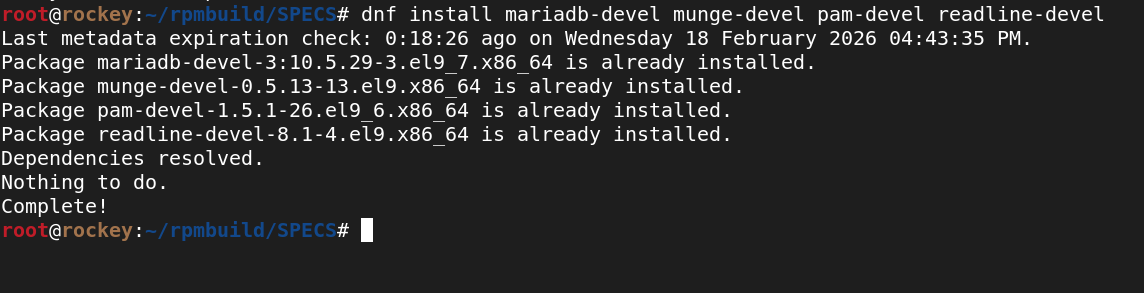
10. Install Slurm Build Dependencies
Required packages
mariadb-develmunge-develpam-develreadline-devel
dnf install mariadb-devel munge-devel pam-devel readline-devel
11. Run rpmbuild Again
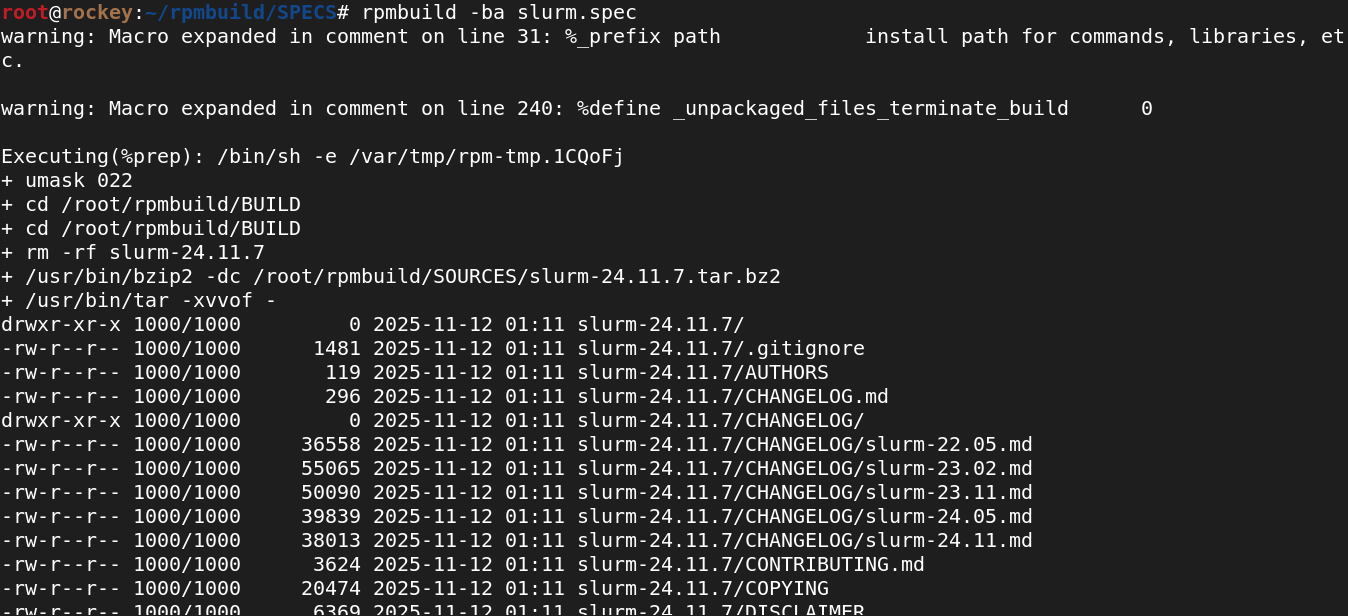
rpmbuild -ba slurm.spec
What happens internally during rpmbuild
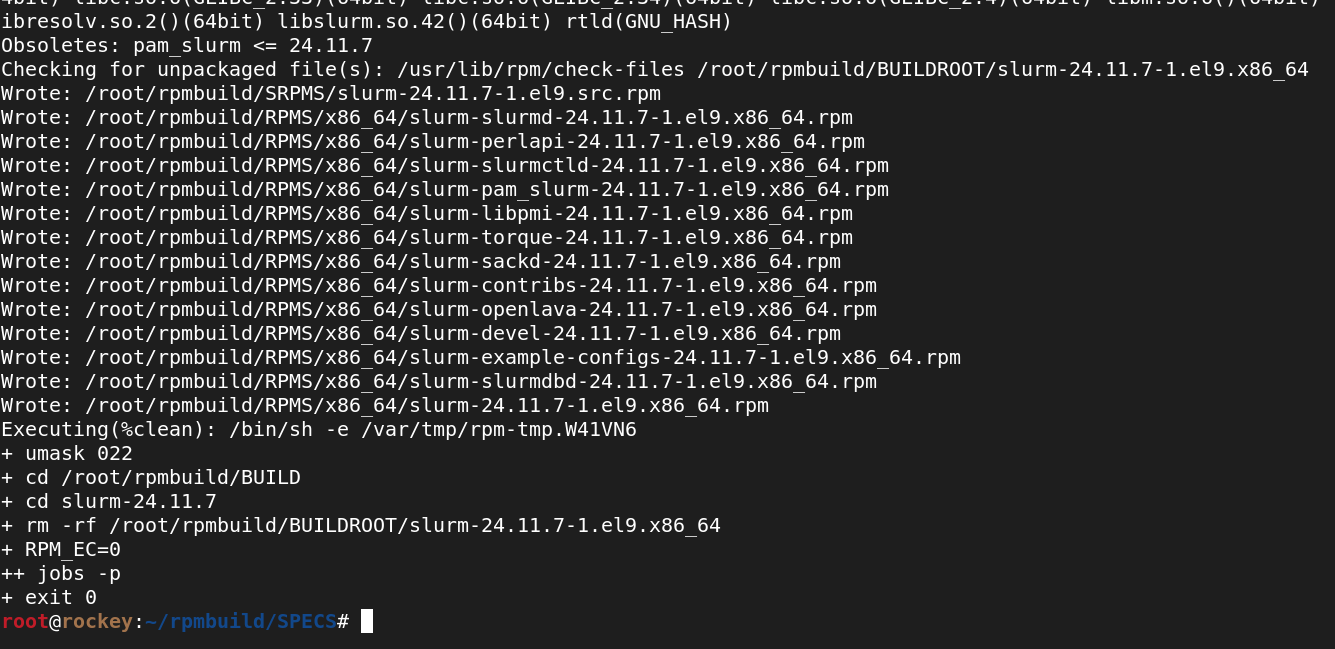
%prep– Unpacks source code%build– Compiles Slurm%install– Installs files into buildroot%files– Selects files for packaging- RPM packages are generated
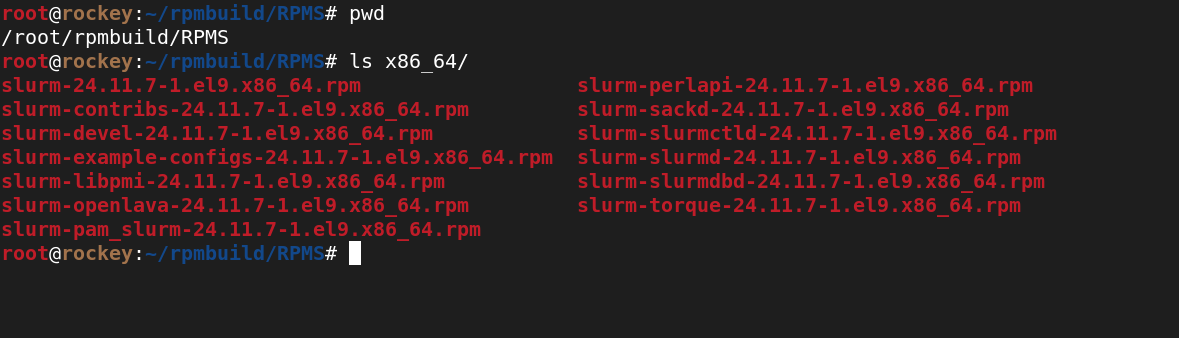
12. Generated RPM Packages
Location
~/rpmbuild/RPMS/x86_64/
Example RPMs
slurm-24.11.7-1.el9.x86_64.rpmslurm-slurmd-24.11.7-1.el9.x86_64.rpmslurm-slurmctld-24.11.7-1.el9.x86_64.rpmslurm-slurmdbd-24.11.7-1.el9.x86_64.rpmslurm-devel-24.11.7-1.el9.x86_64.rpm
Final Summary
rpmbuildis the standard RPM build tool for RHEL-based systems- It converts source code → RPM packages
- SPEC file controls the entire process
- Dependency checks ensure safe and reliable builds
- This method is production-ready and HPC-friendly