HWLOC Installation Guide
Introduction to HWLOC
HWLOC (Hardware Locality) is an open-source software package that provides a comprehensive view of the hardware architecture of a system. It allows you to see how your system's hardware is structured, such as CPUs, memory, NUMA nodes, caches, and other hardware resources. This tool is especially useful for developers and system administrators working in high-performance computing (HPC) environments, where understanding and optimizing the layout of hardware resources can significantly improve performance.
Why Use HWLOC?
-
Hardware Topology Awareness: HWLOC provides detailed information about the physical layout of hardware in a machine. It helps you understand how the CPU cores, caches, memory, and other resources are organized, which is crucial for performance tuning, particularly in multi-threaded applications.
-
Optimizing Performance in HPC Systems: In HPC systems, performance can be affected by the placement of processes and memory. HWLOC helps optimize process binding, which refers to placing processes on specific cores or NUMA nodes to reduce latency and improve bandwidth utilization.
-
Cross-platform Support: HWLOC supports a wide range of platforms, including Linux, macOS, and Windows, making it a versatile tool for system administrators across different environments.
-
Compatibility with MPI: HWLOC is often used with MPI (Message Passing Interface) applications. It helps manage process affinity in parallel computing, ensuring that processes are placed optimally on the hardware.
Prerequisites
Ensure that you have the necessary tools to compile the source code:
wgettarmakegcc
Steps to Install HWLOC
1. Download HWLOC Source Code
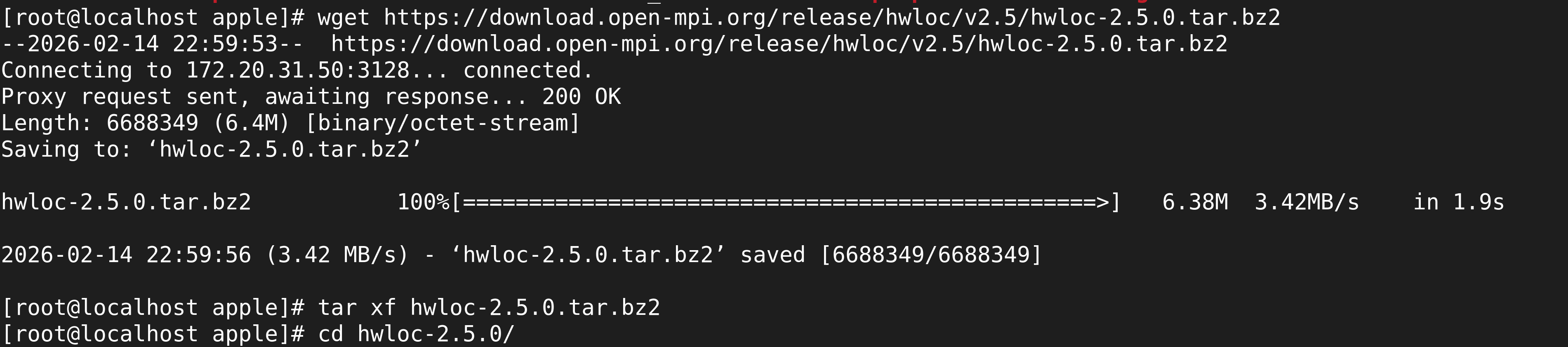
First, download the HWLOC source tarball using wget:
wget https://download.open-mpi.org/release/hwloc/v2.5/hwloc-2.5.0.tar.bz2
You should see output similar to the following:
2. Extract the Tarball
After the download is complete, extract the contents of the tarball:
tar xf hwloc-2.5.0.tar.bz2
3. Configure the Build
Navigate into the extracted directory:
cd hwloc-2.5.0/
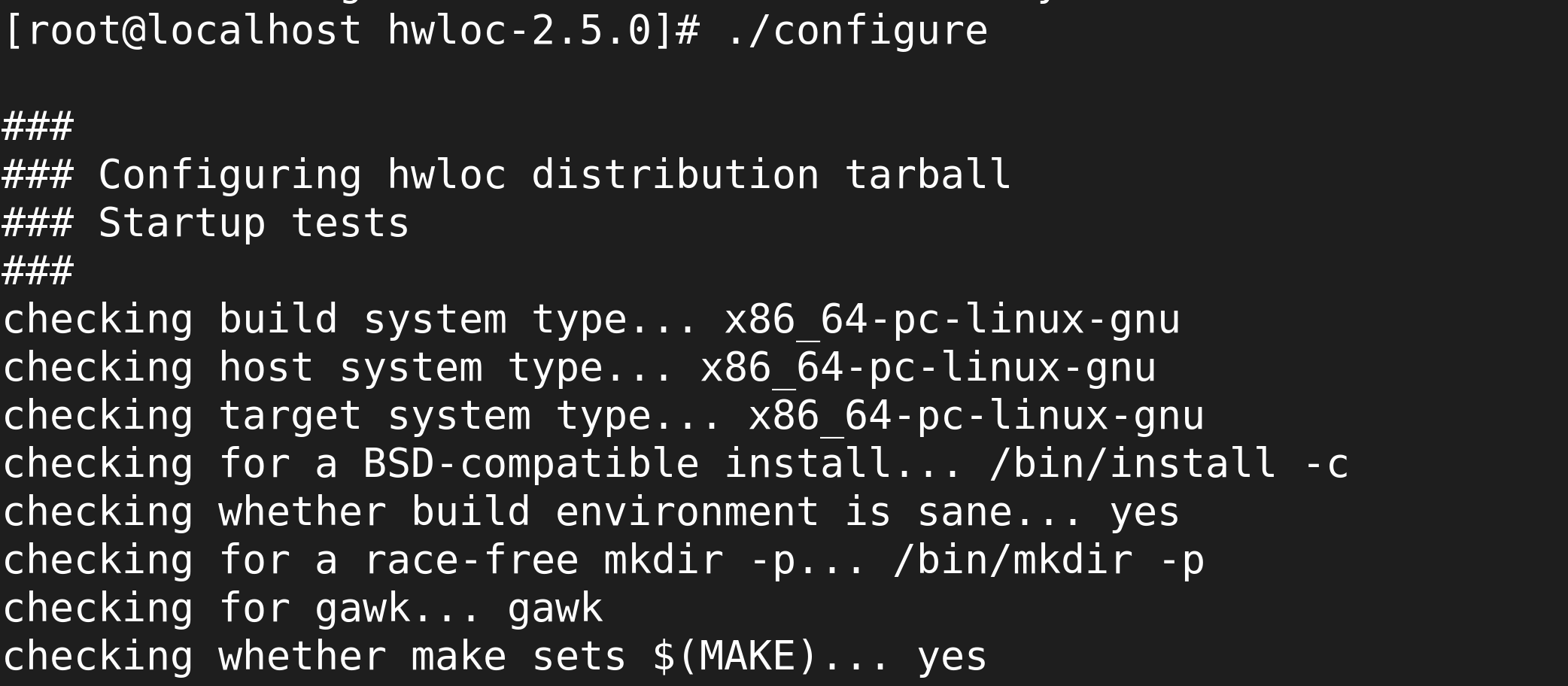
Now, run the configure script to prepare the build environment:
./configure
This will check for the build system and necessary dependencies. The output should look similar to this:
4. Compile HWLOC
Once the configuration is complete, proceed with building HWLOC using the make command:
make
During this step, the compilation process will begin:

5. Install HWLOC
After the compilation is finished, install the binaries:
make install
This will install the HWLOC libraries and executables on your system:

6. Verification
After the installation, you can verify that HWLOC has been installed successfully by running:
lstopo
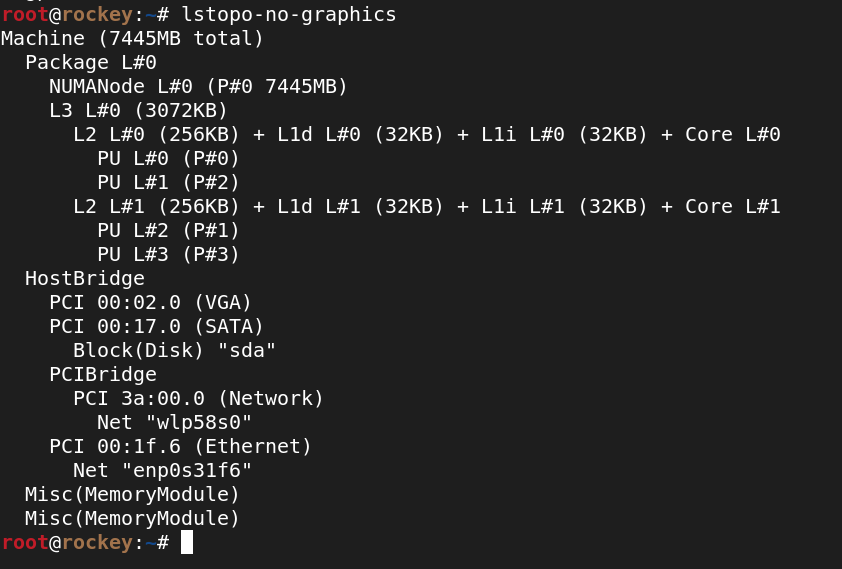
This should display the hardware topology of your system.
This document serves as a basic guide to help with HWLOC installation from the source on a Linux machine.