OpenLDAP Directory Setup & xCAT Client Integration
Centralized LDAP Authentication for xCAT Compute Nodes via SSSD
Rocky Linux 8.10 | xCAT-Managed Cluster
Lab environment: labtesting (xCAT management node / LDAP server) — Rocky Linux 8.10
1. Overview
This document describes the procedure used to stand up a centralized OpenLDAP directory server on the xCAT management node (labtesting), populate it with a base DIT, a test group, and a test user, and then configure LDAP-based authentication (via SSSD) on xCAT compute nodes using a custom postscript. The end result is a compute node that can resolve and authenticate directory users against the LDAP server, with home directories created automatically on first login.
2. Environment Details
| Item | Value |
|---|---|
| LDAP / MN server | labtesting (192.168.245.128) |
| Compute node | cnode01 (node group: compute) |
| OS | Rocky Linux 8.10 |
| Directory suffix | dc=labtesting,dc=local,dc=com |
| Root DN | cn=Manager,dc=labtesting,dc=local,dc=com |
| LDAP packages | openldap-servers, openldap-clients |
| Client auth stack | sssd, sssd-ldap, authselect, oddjob-mkhomedir |
3. Server-Side Setup (labtesting)
3.1 Install OpenLDAP packages
Install the server and client packages (client package was missing; server was already present).
yum install openldap-servers openldap-clients
3.2 Initialize the Berkeley DB config and start slapd
Copy the example DB_CONFIG into place, fix ownership, then enable and start the slapd service.
cp -a /usr/share/openldap-servers/DB_CONFIG.example /var/lib/ldap/DB_CONFIG
chown -R ldap:ldap /var/lib/ldap/
systemctl enable --now slapd
Confirm the service is active:
systemctl status slapd
Active: active (running)
Main PID: 45732 (slapd)
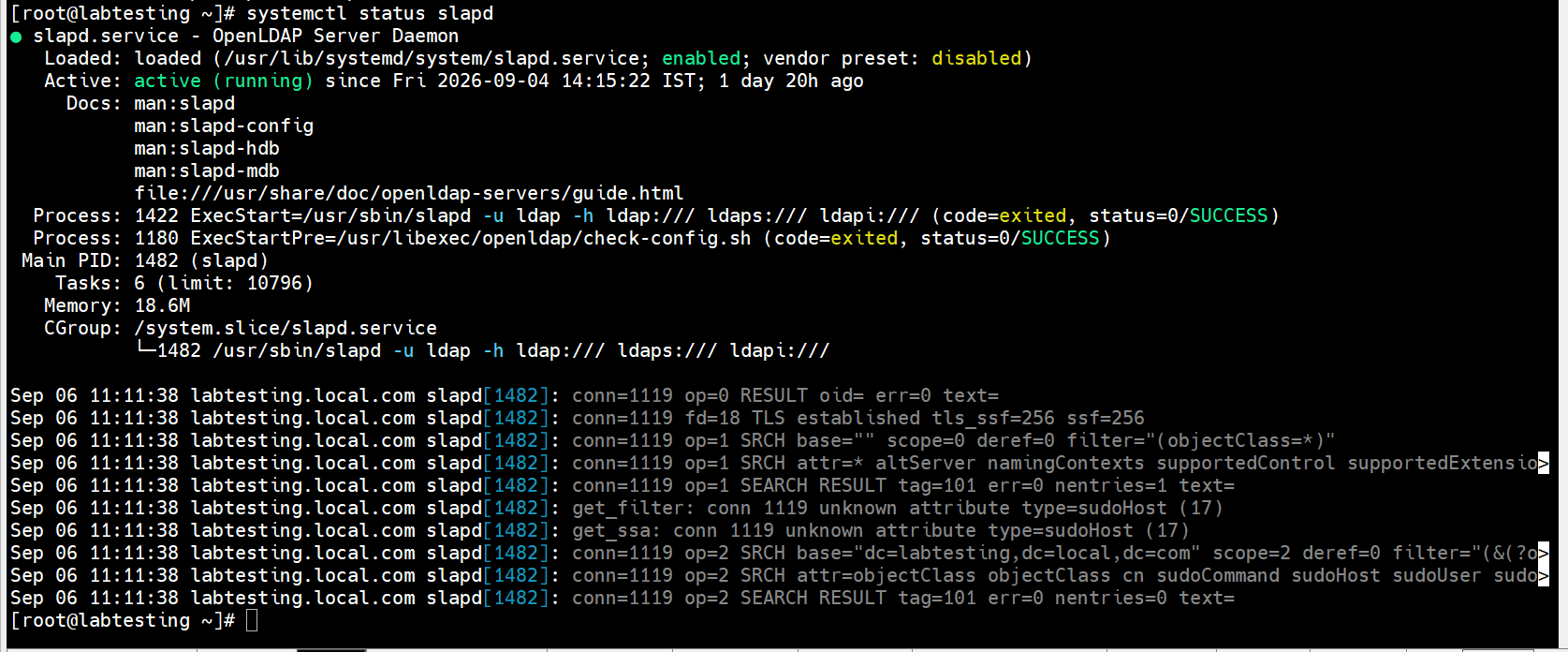
Step 3.2 — systemctl status slapd active running
3.3 Generate the directory manager password hash
Use slappasswd to generate an SSHA hash for the LDAP root (Manager) password.
slappasswd
New password:
Re-enter new password:
{SSHA}Gw3mIMVdl+bdC46TEGbZYiIP1hPAbx3N
3.4 Set the domain suffix, root DN, and root password
Confirm the existing cn=config databases, then apply an LDIF that sets the suffix, root DN, and root password hash on the mdb backend.
ldapsearch -Y EXTERNAL -H ldapi:/// -b cn=config dn -LLL | grep olcDatabase
# /root/chdomain.ldif
dn: olcDatabase={2}mdb,cn=config
changetype: modify
replace: olcSuffix
olcSuffix: dc=labtesting,dc=local,dc=com

dn: olcDatabase={2}mdb,cn=config
changetype: modify
replace: olcRootDN
olcRootDN: cn=Manager,dc=labtesting,dc=local,dc=com

dn: olcDatabase={2}mdb,cn=config
changetype: modify
replace: olcRootPW
olcRootPW: {SSHA}Gw3mIMVdl+bdC46TEGbZYiIP1hPAbx3N
ldapmodify -Y EXTERNAL -H ldapi:/// -f /root/chdomain.ldif
3.5 Load base schemas
Load the cosine, nis, and inetorgperson schemas required for POSIX and inetOrgPerson object classes.
ldapadd -Y EXTERNAL -H ldapi:/// -f /etc/openldap/schema/cosine.ldif
ldapadd -Y EXTERNAL -H ldapi:/// -f /etc/openldap/schema/nis.ldif
ldapadd -Y EXTERNAL -H ldapi:/// -f /etc/openldap/schema/inetorgperson.ldif
3.6 Create the base DIT
Add the base domain entry, the Manager role, and the People/Group organizational units.
# /root/base.ldif
dn: dc=labtesting,dc=local,dc=com
objectClass: top
objectClass: dcObject
objectClass: organization
o: Labtesting HPC Cluster
dc: labtesting

dn: cn=Manager,dc=labtesting,dc=local,dc=com
objectClass: organizationalRole
cn: Manager

dn: ou=People,dc=labtesting,dc=local,dc=com
objectClass: organizationalUnit
ou: People

dn: ou=Group,dc=labtesting,dc=local,dc=com
objectClass: organizationalUnit
ou: Group
ldapadd -x -D "cn=Manager,dc=labtesting,dc=local,dc=com" -W -f /root/base.ldif
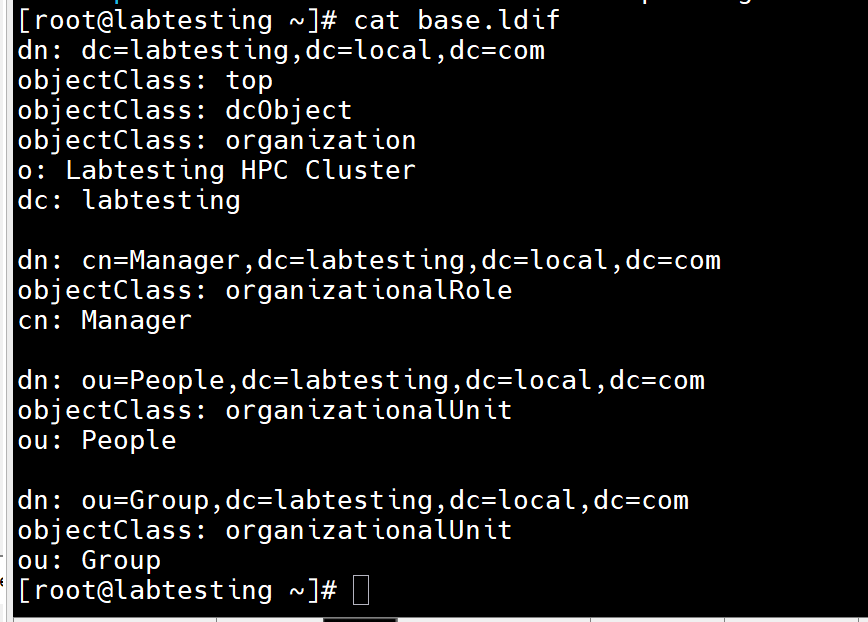
Step 3.6 — ldapadd confirming base DIT entries created
3.7 Create a test group and test user
Generate a password hash for the test account, then add a POSIX group (hpcusers) and a test user (testuser) as a member of it.
slappasswd
New password:
Re-enter new password:
{SSHA}123456789012345678901234567890
# /root/testuser.ldif
dn: cn=hpcusers,ou=Group,dc=labtesting,dc=local,dc=com
objectClass: posixGroup
cn: hpcusers
gidNumber: 10000

dn: uid=testuser,ou=People,dc=labtesting,dc=local,dc=com
objectClass: inetOrgPerson
objectClass: posixAccount
objectClass: shadowAccount
uid: testuser
sn: Test
givenName: Test
cn: Test User
uidNumber: 10000
gidNumber: 10000
userPassword: {SSHA}123456789012345678901234567890
gecos: Test User
loginShell: /bin/bash
homeDirectory: /home/testuser
ldapadd -x -D "cn=manager,dc=labtesting,dc=local,dc=com" -W -f /root/testuser.ldif
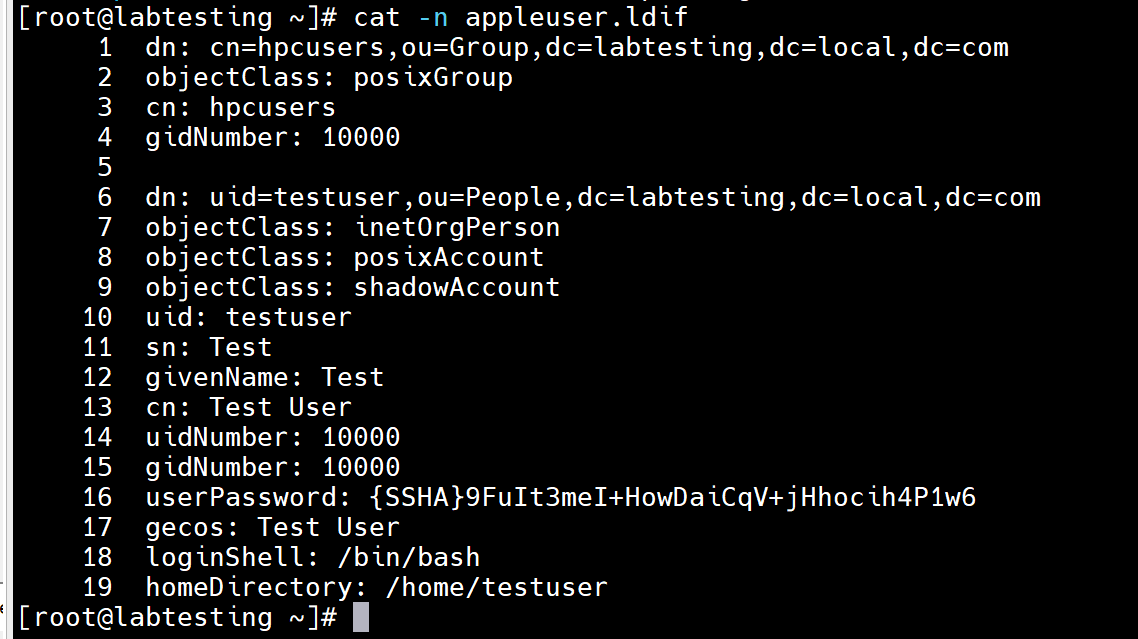
Step 3.7 — ldapadd confirming hpcusers group and testuser created
3.8 Verify the directory contents
Search the directory to confirm the base entries, group, and user were created successfully.
ldapsearch -x -b "dc=labtesting,dc=local,dc=com" -H ldap://localhost
# Confirms: dc=labtesting,dc=local,dc=com, cn=Manager, ou=People, ou=Group,
# cn=hpcusers (Group), uid=testuser (People)
search: 2
result: 0 Success
numEntries: 6
4. Client-Side Setup (compute nodes)
4.1 Create the LDAP client postscript
A custom postscript, setup_ldap_client, was created under /install/postscripts/. It installs the SSSD/LDAP client stack, selects the sssd authselect profile with home directory creation, writes /etc/sssd/sssd.conf pointing at the management node's LDAP service, and enables sssd.
#!/bin/bash
# ============================================================
# xCAT Postscript: setup_ldap_client
# Rocky Linux 8.10
#
# LDAP Server  : 192.168.245.128
# LDAP Hostname: labtesting
# LDAP Base DN : dc=labtesting,dc=local,dc=com
# ============================================================
set -e

LDAP_SERVER="192.168.245.128"
LDAP_HOSTNAME="labtesting"
LDAP_BASE_DN="dc=labtesting,dc=local,dc=com"
LDAP_CERT="/etc/openldap/certs/ldap.crt"

echo "=============================================="
echo " Starting LDAP Client Configuration"
echo "=============================================="
echo "LDAP Server : ${LDAP_SERVER}"
echo "LDAP Hostname: ${LDAP_HOSTNAME}"
echo "LDAP Base DN: ${LDAP_BASE_DN}"

# ------------------------------------------------------------
# 1. Install required packages
# ------------------------------------------------------------
echo "Installing LDAP/SSSD packages..."
dnf install -y \
  sssd \
  sssd-ldap \
  openldap-clients \
  authselect \
  oddjob \
  oddjob-mkhomedir

# ------------------------------------------------------------
# 2. Configure authselect
# ------------------------------------------------------------
echo "Configuring authselect..."
authselect select sssd with-mkhomedir --force

# ------------------------------------------------------------
# 3. Configure LDAP hostname resolution
# ------------------------------------------------------------
echo "Configuring /etc/hosts..."
if ! grep -qE "^[[:space:]]*${LDAP_SERVER}[[:space:]]+.*${LDAP_HOSTNAME}([[:space:]]|$)" /etc/hosts
then
  echo "${LDAP_SERVER} ${LDAP_HOSTNAME}" >> /etc/hosts
fi
echo "LDAP hostname resolution:"
getent hosts ${LDAP_HOSTNAME}

# ------------------------------------------------------------
# 4. Create LDAP certificate directory
# ------------------------------------------------------------
echo "Creating LDAP certificate directory..."
mkdir -p /etc/openldap/certs
curl -s -o /etc/openldap/certs/ldap.crt http://${MASTER_IP}/install/postscripts/files/ldap.crt

# ------------------------------------------------------------
# 5. Verify LDAP CA certificate
#
# The certificate is copied to the node using xCAT
# before this postscript runs.
# ------------------------------------------------------------
echo "Checking LDAP CA certificate..."
if [ ! -f "${LDAP_CERT}" ]; then
  echo "ERROR: LDAP CA certificate not found:"
  echo "${LDAP_CERT}"
  exit 1
fi
chmod 644 "${LDAP_CERT}"
chown root:root "${LDAP_CERT}"
echo "LDAP CA certificate found."

# ------------------------------------------------------------
# 6. Configure OpenLDAP client
# ------------------------------------------------------------
echo "Creating /etc/openldap/ldap.conf..."
cat > /etc/openldap/ldap.conf <<EOF
URI ldap://${LDAP_HOSTNAME}
BASE ${LDAP_BASE_DN}
TLS_CACERT ${LDAP_CERT}
TLS_REQCERT demand
EOF
chmod 644 /etc/openldap/ldap.conf

# ------------------------------------------------------------
# 7. Configure SSSD
# ------------------------------------------------------------
echo "Creating /etc/sssd/sssd.conf..."
cat > /etc/sssd/sssd.conf <<EOF
[sssd]
services = nss, pam
domains = default

[domain/default]
id_provider = ldap
auth_provider = ldap
ldap_uri = ldap://${LDAP_HOSTNAME}
ldap_search_base = ${LDAP_BASE_DN}
ldap_user_search_base = ou=People,${LDAP_BASE_DN}
ldap_group_search_base = ou=Group,${LDAP_BASE_DN}
ldap_id_use_start_tls = true
ldap_tls_reqcert = demand
ldap_tls_cacert = ${LDAP_CERT}
cache_credentials = true
enumerate = true
EOF
chmod 600 /etc/sssd/sssd.conf
chown root:root /etc/sssd/sssd.conf

# ------------------------------------------------------------
# 8. Enable services
# ------------------------------------------------------------
echo "Enabling SSSD and oddjobd..."
systemctl enable oddjobd
systemctl enable sssd
systemctl restart oddjobd
systemctl restart sssd

# ------------------------------------------------------------
# 9. Clear SSSD cache
# ------------------------------------------------------------
echo "Clearing SSSD cache..."
sss_cache -E || true

# ------------------------------------------------------------
# 10. Test LDAP STARTTLS
# ------------------------------------------------------------
echo "Testing LDAP STARTTLS..."
ldapsearch -x \
  -H ldap://${LDAP_HOSTNAME}:389 \
  -ZZ \
  -b "${LDAP_BASE_DN}" \
  -s base

# ------------------------------------------------------------
# 11. Test LDAP user lookup
# ------------------------------------------------------------
echo "Testing LDAP user lookup..."
if getent passwd mango >/dev/null 2>&1
then
  echo "LDAP user lookup: SUCCESS"
else
  echo "WARNING: LDAP user 'mango' was not found."
fi

# ------------------------------------------------------------
# 12. Final service check
# ------------------------------------------------------------
if systemctl is-active --quiet sssd
then
  echo "SSSD service: RUNNING"
else
  echo "ERROR: SSSD service is not running."
  systemctl status sssd --no-pager
  exit 1
fi

echo "=============================================="
echo " LDAP Client Configuration Completed"
echo "=============================================="
exit 0
Make the postscript executable:
chmod +x /install/postscripts/setup_ldap_client
4.2 Assign the postscript and push it out
Add the postscript to the compute node group definition and run it.
chdef compute -p postscripts=setup_ldap_client
updatenode compute -P setup_ldap_client

Step 4.2 — updatenode compute -P setup_ldap_client output
Pitfall we hit On the first run, oddjobd failed to enable because the oddjob-mkhomedir package (which provides pam_oddjob_mkhomedir and the oddjobd unit) was not yet installed — the postscript's dnf install line initially omitted it.
cnode01: - with-mkhomedir is selected, make sure pam_oddjob_mkhomedir module
cnode01:   is present and oddjobd service is enabled and active
cnode01: Failed to enable unit: Unit file oddjobd.service does not exist.
4.3 Fix: install oddjob-mkhomedir and enable oddjobd
Installed the missing package directly on the node and enabled the service, then updated the postscript so future runs include it automatically.
xdsh compute "dnf install -y oddjob-mkhomedir"
xdsh compute "systemctl enable --now oddjobd"
xdsh compute "systemctl status oddjobd"
Active: active (running)
Updated the postscript's install line so it's self-contained going forward:
sed -i 's/dnf install -y sssd sssd-ldap openldap-clients authselect/dnf install -y sssd sssd-ldap openldap-clients authselect oddjob-mkhomedir/' \
  /install/postscripts/setup_ldap_client
Re-ran the postscript to confirm a clean pass with no errors:
updatenode compute -P setup_ldap_client
cnode01: LDAP client configured against 192.168.245.128, base dc=labtesting,dc=local,dc=com
cnode01: postscript end....: setup_ldap_client exited with code 0
5. Verification
Confirmed that the LDAP test user resolves and authenticates correctly via SSSD on the compute node, while a purely local user does not exist there.
xdsh cnode01 "id apple"
cnode01: id: 'apple': no such user (local-only user, not in LDAP)
xdsh cnode01 "id testuser"
cnode01: uid=10000(testuser) gid=10000(hpcusers) groups=10000(hpcusers)
xdsh cnode01 "getent passwd testuser"
cnode01: testuser:*:10000:10000:Test User:/home/testuser:/bin/bash

Step 5 — id and getent passwd confirming testuser resolves via LDAP
6. Result
- OpenLDAP (slapd) is running on labtesting with suffix
dc=labtesting,dc=local,dc=comand Manager root DN. - Base DIT (People, Group OUs), a test group (hpcusers) and a test user (testuser) were created and verified via ldapsearch.
- Compute nodes in the
computegroup runsetup_ldap_clienton updatenode, installing SSSD/LDAP client packages and configuring/etc/sssd/sssd.confagainst the management node. - testuser correctly resolves via getent/id on cnode01, confirming SSSD is querying the LDAP directory successfully.
- oddjob-mkhomedir is now included in the postscript's install list so automatic home directory creation works on a clean node without manual follow-up.
7. Notes / Follow-ups
- Consider switching
ldap_uritoldaps://or enablingldap_id_use_start_tlsfor encrypted client-to-server traffic; current config uses plaintext LDAP. - Root/Manager and test user passwords were set via slappasswd-generated SSHA hashes; rotate these before moving beyond lab use.
- Add
setup_ldap_clientto the default postscript list for the compute osimage so newly provisioned nodes pick it up automatically, in the same way assetup_chrony_client. - Validate PAM login (not just id/getent) end-to-end, e.g. via
ssh testuser@cnode01, to confirm mkhomedir and shell login work as expected.